



Invoices reach the accountant without retyping
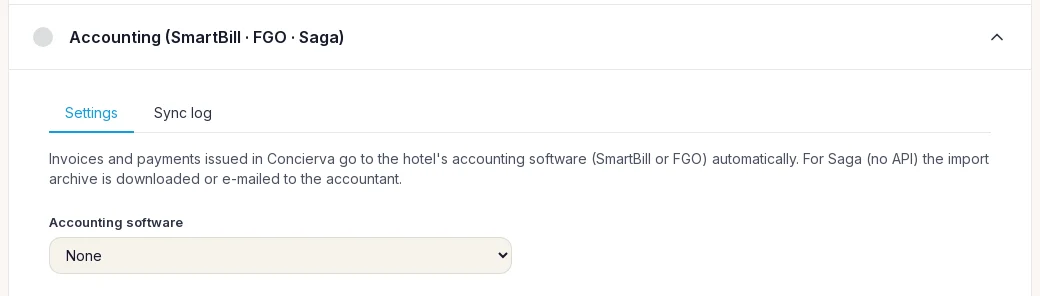
If your property is in Romania and your accountant works in SmartBill, FGO or Saga, Concierva passes on the invoices and payments you issue at reception and in the restaurant. SmartBill and FGO receive each document through their own API, with the same number. For Saga, Concierva prepares the import files and can e-mail them to your accountant every week or every month.
Every invoice, written twice
Reception issues the invoice in the hotel system. At the end of the month someone exports a list and sends it to the accountant, who types it again into the accounting program, finds two numbers out of order and calls to ask about a credit note from the 14th. Meanwhile nobody is quite sure whether the e-invoice went to ANAF from the hotel system, from the accounting program, or from both.
How it works
Choose your program
SmartBill, FGO or Saga. For SmartBill and FGO, add the API details from your account; they are stored encrypted. The connection test only reads.
Match series and VAT
Each Concierva invoice series is matched to one in your program, and identical numbering is checked before every document. VAT rates and payment types are matched once.
Switch on sending
From a date you choose, invoices, credit notes and payments are queued and sent every 15 minutes. Each one shows its status in a log.
What it does
SmartBill and FGO through their API
Invoices, advance invoices, credit notes and payments are sent one document at a time, with the result shown for each.
Saga through import files
Download the import archive for any period, or have it e-mailed to your accountant every Monday or on the first of the month.
Identical numbering
Before each SmartBill document, Concierva reads the next number in your series. If it does not match, the document stops with an error rather than being created under a different number.
e-Factura from one place only
You decide who uploads to ANAF, Concierva or your accounting program. Never both.
Preview before sending
See exactly what would be sent for any invoice, with credentials hidden, before you switch on automatic sending.
The restaurant too
Invoices issued in the restaurant are sent as well. Fiscal receipts without an invoice are not, because the cash register already reports them.
Monthly exports / With Concierva
- Monthly exportsWith Concierva
- Invoices typed again by the accountantSent to SmartBill or FGO as they are issued
- Numbers that drift apartNumbering checked before every document
- Unsure who sent the e-invoiceOne place uploads, decided once
- A spreadsheet e-mailed at month endSaga files sent on a schedule
- Errors found weeks laterA log with the status of every document
Questions
Do I need SmartBill, FGO or Saga to use Concierva?
No. It is an option for properties in Romania that already work with one of these programs. Without it, Concierva still issues invoices on its own.
Is anything sent as soon as I connect?
No. Automatic sending is off by default. It can be switched on only with saved credentials, at least one series matched and your choice about e-Factura. Nothing dated before the start date you choose is ever sent.
What happens to refunds?
Refunds stay manual and appear as skipped in the log, for your accountant to handle.
Are my API keys safe?
They are stored encrypted, and the screen only ever shows a masked hint. Changing the program deletes the old key.
Can I check it before going live?
Yes. The connection test only reads from your account, and the preview shows the exact document that would be sent, without sending it.
One invoice, written once
Tell us which program your accountant uses and we will connect it with you.